
Arise a Shadow Controls and HUD landmarks
Find CODES, training, yellow Wins platforms, the Weapon Pedestal, Gates, and the Boss Token shop without guessing.
Arise a Shadow uses a Roblox incremental HUD more than a custom keybind sheet. Oh No Games! has not published a full official controls manual for +1 Arise a Shadow, so this page maps the landmarks every major guide and code article actually names: the top CODES button, Strength training pads, yellow Victory platforms, the Weapon Pedestal, Gate menus, the World Boss / Boss Token shop, relic and title loadouts, and the army bag. Use it when a friend says “tap Codes at the top” and you are still hunting Settings.
Movement is standard Roblox: WASD or thumbstick to move, space to jump, camera drag to look. Combat leans on auto-attack plus specials once you have a kit — hubs list auto special / ultimate because the base loop expects you to fight while the army hits. This is not a frame-perfect fighting game guide.
Top bar: CODES and session UI
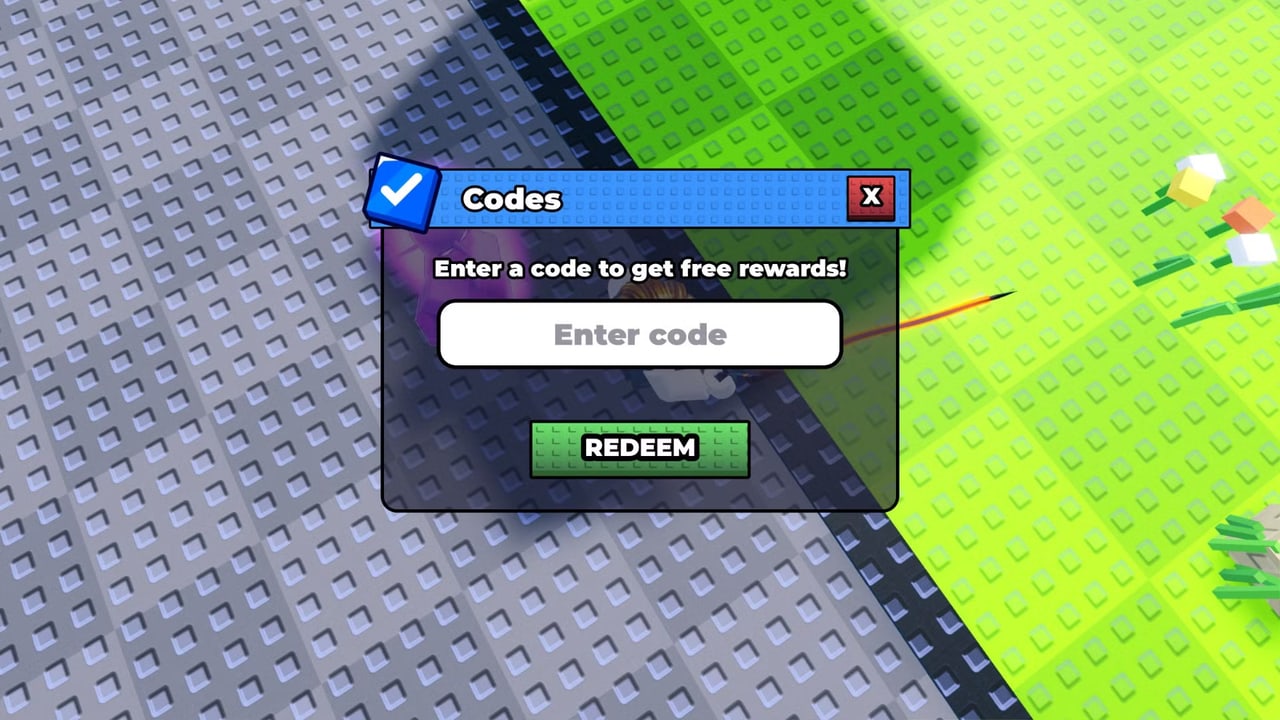
The CODES button sits at the top of the screen on a live server. GameRant, Sportskeeda, Pocket-Codes, and every November 2026 code video agree on that placement. It is not buried in Settings and it is not the Roblox shop. Tap it, paste a case-sensitive string, press REDEEM. Full steps: how to redeem. Working list: codes.
After a Saturday patch, if CODES does nothing, hop servers. Leftover instances can miss the new redeem list (Saturday schedule). Servers cap at 12 players — if the HUD feels buried under bodies, one hop is enough.
Training pads (Strength)
Strength is a stand-and-click loop. Find a training spot on the map, stand on it, and click (or hold, if your device supports it) to raise Strength. Free pads are slower; paid pads and the OP AutoClicker-style pass exist for Robux. You do not need Robux to finish early content. Details: Strength Training.
Drink Strength Potions only while you are on a real pad. Potion roles: potions.
Yellow platforms (Victories / Wins)
After you clear enemies in a stage, step on the yellow platforms to bank Victories. Sportskeeda’s codes article calls this out explicitly. Missing the platforms is the most common early income leak. Farm route: farm Victories.
Drink Wins Potions while you are clearing, not while you AFK on a Strength pad.
Weapon Pedestal
The Weapon Pedestal is the sequential weapon shop. Buy when your own hits are the bottleneck and you already have a small shadow squad. Equip after purchase. Pedestal guide: weapon pedestal. Ranking: weapons.
Army, arise, fuse, mutate
Corpse prompts after kills open arise / extract. Rank filters, locks (Mythic / Exclusive / Mutated), and Essence feeds live in the army UI. Fuse and mutation overlays are separate confirms — read them before you mash. Guides: how to arise, how to fuse, how to mutate, shadow army.
On mobile, tap targets carefully; fuse and delete sits next to lock on many incremental HUDs. Scripts that auto-lock before auto-fuse exist because mis-taps are common.
Gates and Shadow Tower
Gates use a create / run / clear menu paid with Gate Tokens. Limited dragon gate appears as its own row when live. Retries are for near-clears. Guide: Gates.
Shadow Tower is a separate vertical entrance. Do not confuse tower floors with outdoor stages or Gate rooms. Guide: Shadow Tower. Fast Tower and x2 Tower Rewards are Robux passes listed on gamepasses.
World Boss, titles, relics, Six Eyes
World Boss join UI and the Boss Token shop sell upgrades, titles, and potions. RageBoss funds that shop. Titles stay equipped like a loadout piece (titles). Relics — including the Eclipse Core from NewLimitedDragonGate — sit in relic slots (relics). Six Eyes is its own wallet (Six Eyes).
Telegraph dodge: leave painted ground. Standing in the pattern to “keep DPS up” is how underbuilt accounts waste potions.
Rebirth prompt
The rebirth button appears when the account is eligible. It is a confirm dialog, not an auto-win. Read rebirth before you accept. Auto Rebirth is a paid pass, not a HUD requirement.
Mobile versus PC
PC: mouse for HUD buttons, keyboard for movement, easier precise taps on fuse/lock. Mobile: larger thumbs need slower confirms on delete/fuse; CODES and yellow platforms are still the same landmarks. CM HUB advertises mobile-friendly menus because phone players are a real audience — that does not make scripts safe or allowed.
Quick landmark checklist
- Top CODES → redeem
- Training pad → Strength (+ Strength Potion)
- Clear stage → yellow platforms → Victories (+ Wins Potion)
- Corpse prompt → arise / lock / Essence
- Weapon Pedestal → buy when you are the bottleneck
- Gate menu → Gate Tokens
- World Boss / boss shop → Boss Tokens, titles, potions
- Relic / title slots → Eclipse Core and shop titles
- Rebirth prompt → only after the checklist says yes
Power plan that uses these landmarks: how to get strong. Session tick list: progression checklist.
Frequently Asked Questions
Quick answers for codes, shadows, gates, and Saturday patches.
Where is the CODES button in Arise a Shadow?
At the top of the screen on a live server. Paste a case-sensitive code and press REDEEM. Full steps are on how to redeem.
How do I bank Victories after a fight?
Clear the stage, then step on the yellow platforms. Details live on the farm Victories guide.
What are the main HUD landmarks?
CODES, training pads, yellow Wins platforms, Weapon Pedestal, Gate menu, World Boss shop, army/arise UI, relic and title slots, and the rebirth prompt.
Is there an official keybind list?
Oh No Games! has not published a full official controls manual. Movement is standard Roblox; power comes from the HUD landmarks on this page.
Do controls change on mobile?
Landmarks stay the same. Use slower confirms on fuse and delete. CODES remains at the top of the HUD.
What should I open first on a new account?
CODES, then a training pad, then the nearest stage and yellow platforms. Follow Getting Started for the full first-hour order.